See it in action
Watch a real counter become a bill
No sorting. No barcode scanning. No manual counting.
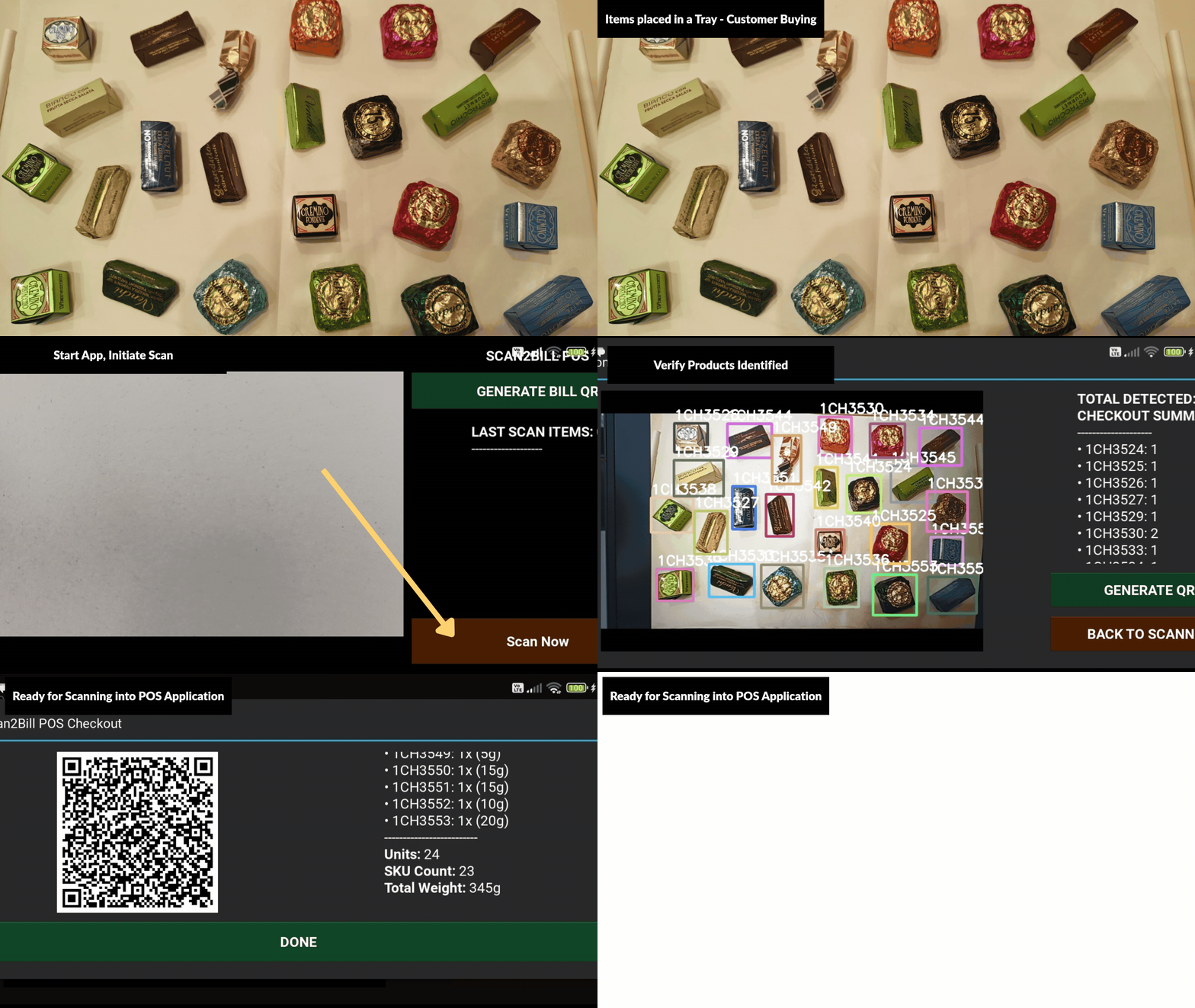
Sweets, bakery, dry fruits, jewellery, fabric — anything that can't carry a barcode. Place the full mix on the counter. Snap&Bill identifies every item, counts every variant, and hands your POS a finished bill in about a second.
No sorting. No barcode scanning. No manual counting.
Sorting items apart to look each one up by name or price chart, one at a time.
Guessing or checking a cheat sheet under the counter — a steady source of pricing mistakes and stock loss.
Queues build up at peak hours while every item gets counted and typed in by hand.
Drop it all at once. The camera reads the full pile, mixed and ungrouped, in a single frame.
Matched to your catalogue automatically — no lookup, no cheat sheet, no guessing.
One bill, one second. Quantities and variants are totalled before the customer's reached their wallet.
Real counters don't hand items over one at a time. Snap&Bill is built around that.
A tray of assorted sweets, an arm full of pastries, a fistful of loose stock — Snap&Bill separates every distinct product in the pile in one look, no sorting required first.
Four of one item, two of another, a dozen of a third — the engine counts every variant on the counter so nobody has to count by hand or double-check the cashier's math.
Detected items are matched straight to your price list and stock records. Nothing gets typed in, and nothing gets billed at the wrong price.
The assorted, unlabelled mix goes straight onto the counter, under the camera, exactly as it would today — no sorting, no separating first.
In under a second, every item is identified, every variant counted, and the whole layout is checked against your master catalogue.
A finished, itemised transaction lands in your existing billing screen. Your POS register updates instantly — nothing to replace.
Snap&Bill is built to sit in front of your current workflow, not replace it.
Snap&Bill compiles the full counter scan into a single dense QR code on the terminal screen. Your cashier scans it with the same handheld scanner they already use — every item lands on the bill instantly.
For retailers automating deeper — push structured scan data directly into your ERP, stock ledger, or cloud inventory system in real time.
Snap&Bill works with your existing retail operation. A few simple requirements help ensure fast setup and high recognition accuracy.
Your billing system should be able to read multi-line, multi-product transactions from a scanned QR code. Alternative integration approaches can also be discussed.
Share your product catalogue, item codes, expected unit weights, pricing information and related attributes required for accurate identification.
Consistent trays or presentation surfaces improve recognition quality and operational repeatability.
A brightly lit counter or shop-floor space where products are presented to the camera during checkout.
We'll bring Snap&Bill to your store and run it on your actual products — no slideware.